

HOW TO: Accept a Payment with Virtual Terminal
- Navigate to ‘Virtual Terminal‘ from the Dashboard’s left hand navigation.
- IF you have multi-location access, select the appropriate location you’d like to accept a payment for.
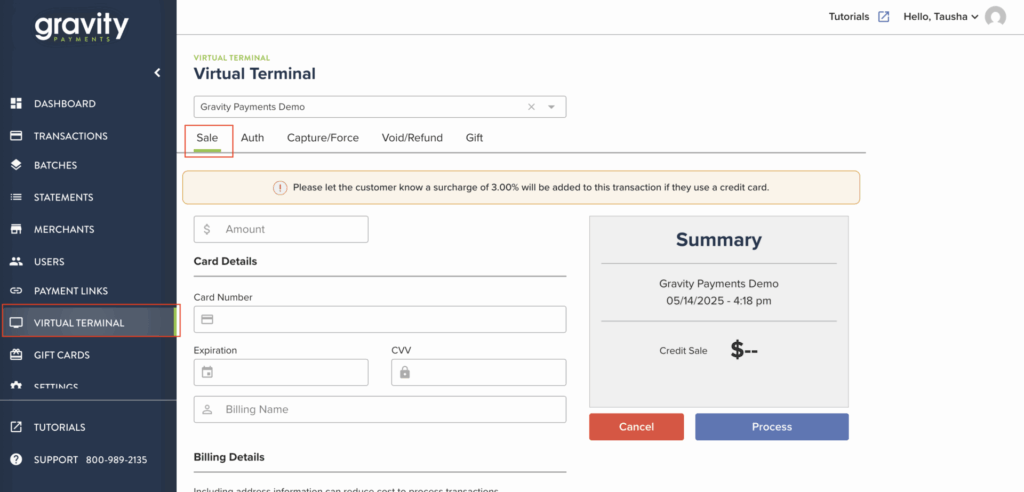
- Click the ‘Sale’ tab.
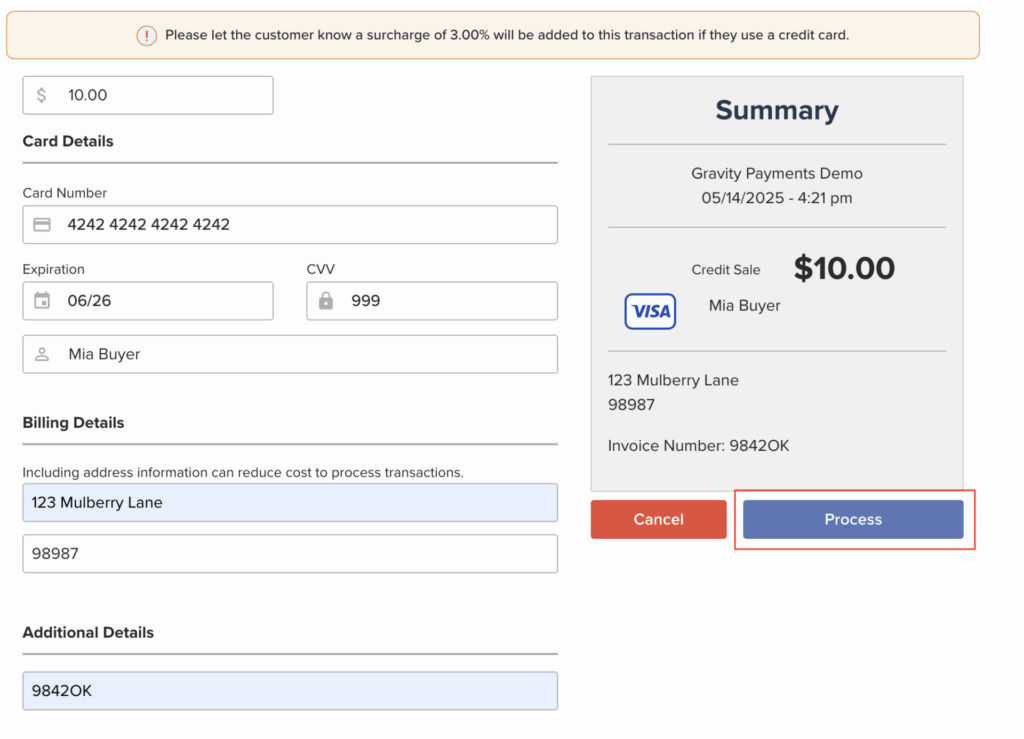
- Next, fill in the required information about the sale:
- Amount
- Card Number
- Expiration Date
- CVV
- Billing Name (Name on Card)
- Complete Billing details, if available:
- Street Address
- Zip Code
- In the additional details section, add in any information about the payment you’d like, such as an invoice number or what the payment is for to make reconciliation easier for future you.

- Review the Sale amount on the right hand side, then click the ‘Process‘ button
Need further assistance?
Our multi-lingual support team is here 24/7. No robots. No phone trees. Just real help from real people.