Protect Your Business: A Guide to Smarter Payments
Learn how to use simple, low-cost tools to stop fraudulent transactions before they happen.
Essential Security Best Practices for Your Business
These recommendations are important safe practices to help keep your business protected from common threats. While every merchant has a personal responsibility to safeguard their own transactions, we understand that every business is unique. If you would like more information about these suggestions or are interested in applying additional layers of protection, please contact our support team at [email protected] or Call (866) 701-4700
Address Verification Service (AVS)
This is a fraud-prevention tool used during card-not-present transactions to help confirm that the customer is authorized to use the payment card. When a transaction is submitted, AVS compares the billing address or ZIP/postal code provided by the customer with the information on file at the card issuer.
Based on the issuer’s response, the transaction can be approved, declined, or flagged for review according to the merchant’s fraud-filter settings. By identifying mismatches between the entered address and the issuer’s records, AVS helps reduce fraud risk and chargebacks while allowing merchants to balance security with approval rates.

Standard AVS Activation Steps
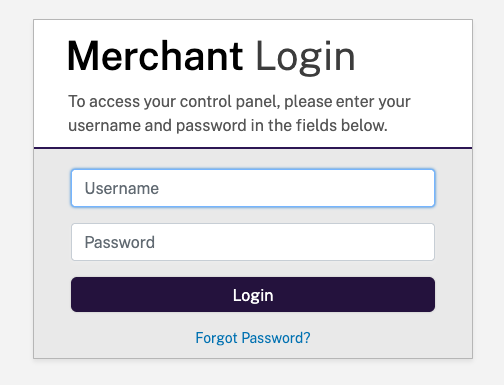
Step 2
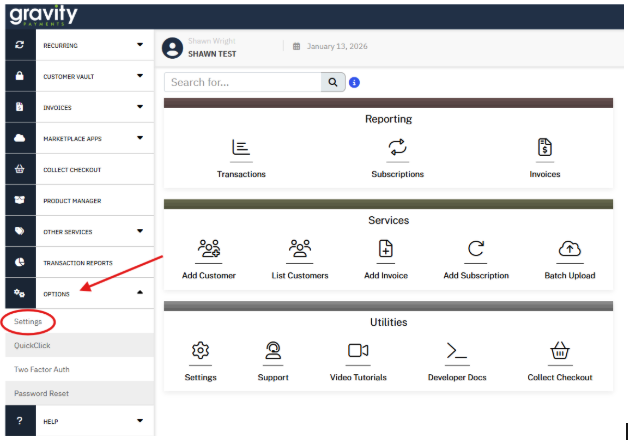
Go to Options and click Settings.
Step 3
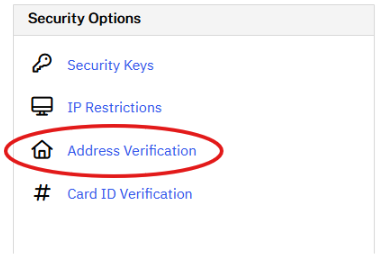
The from Security Options select Address Verification.
Step 4
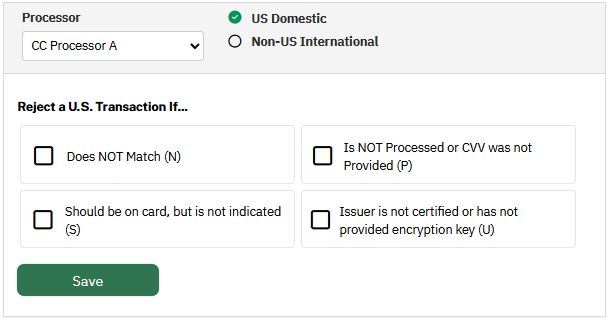
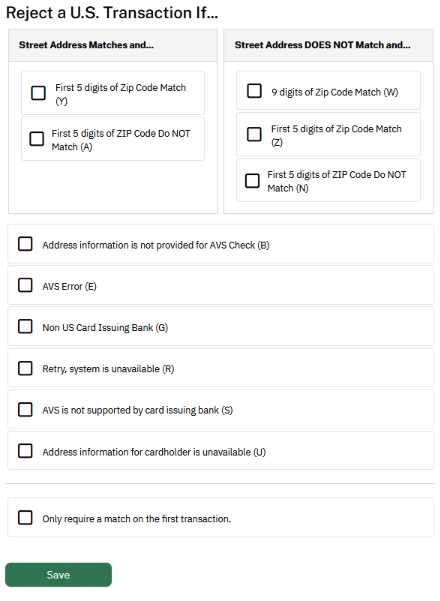
From here you can simply select which scenarios you would like to block.
Card Verification Value (CVV)
This is a fraud-prevention tool used in card-not-present transactions to verify that the customer is in physical possession of the payment card. CVV is the 3- or 4-digit security code printed on the card and is not stored by card networks or processors after authorization.
During a transaction, the CVV provided by the customer is checked against the value on file with the card issuer. Based on the issuer’s response, the transaction can be approved, declined, or flagged according to the merchant’s fraud-filter settings. CVV helps reduce fraud and chargebacks by preventing the use of stolen card numbers without the actual card.

Steps to Enable CVV Verification
Step 1
Log into the NMI Portal.
Step 2
Go to Options and click Settings.
Step 3
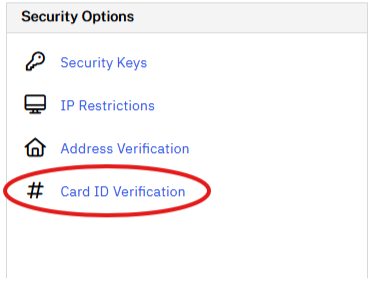
The from Security Options select Card ID Verification.
Step 4
From here you can simply select which scenarios you would like to block